 PiShare Video
Big video? Small problem.
Make your videos upload-ready in one tap.
Launching on Google Play — the download link will appear here.
Free · requires Android 8.0+ · no accounts, no ads
The problem
The moment it fails you
You recorded the perfect clip — and Discord, email, or chat says it's too big. Now you're hunting for converters, uploading your video to sketchy websites, or giving up.
The answer
Ready to upload.
Pick your video. Pick where it's going. PiShare Video shrinks it on your phone and hands it back with a receipt — before and after, in real numbers.
What it does
Built to finish the job
-
Fit Discord, email, or any size
Presets aimed at real limits, plus a custom target when you know the number.
-
An honest receipt
Every job ends with before → after in real numbers. If a clip is too long to hit a target at watchable quality, it says so — before you compress.
-
Works where you need it
Share straight to any app from the result, or save to your gallery. Your original file is untouched.
-
100% on your phone
Compression runs on your device. Nothing is uploaded, ever.
-
No accounts. No ads.
Open it, use it, close it. That's the whole relationship.
See it
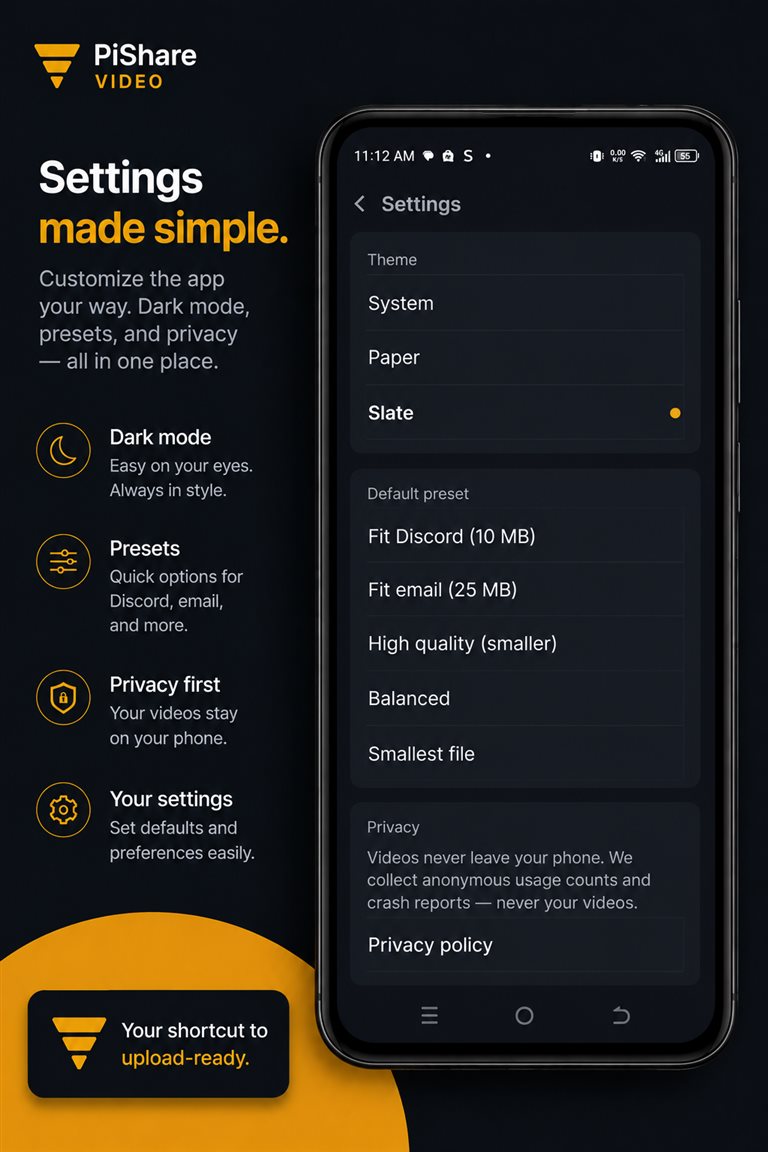
The whole job, four screens
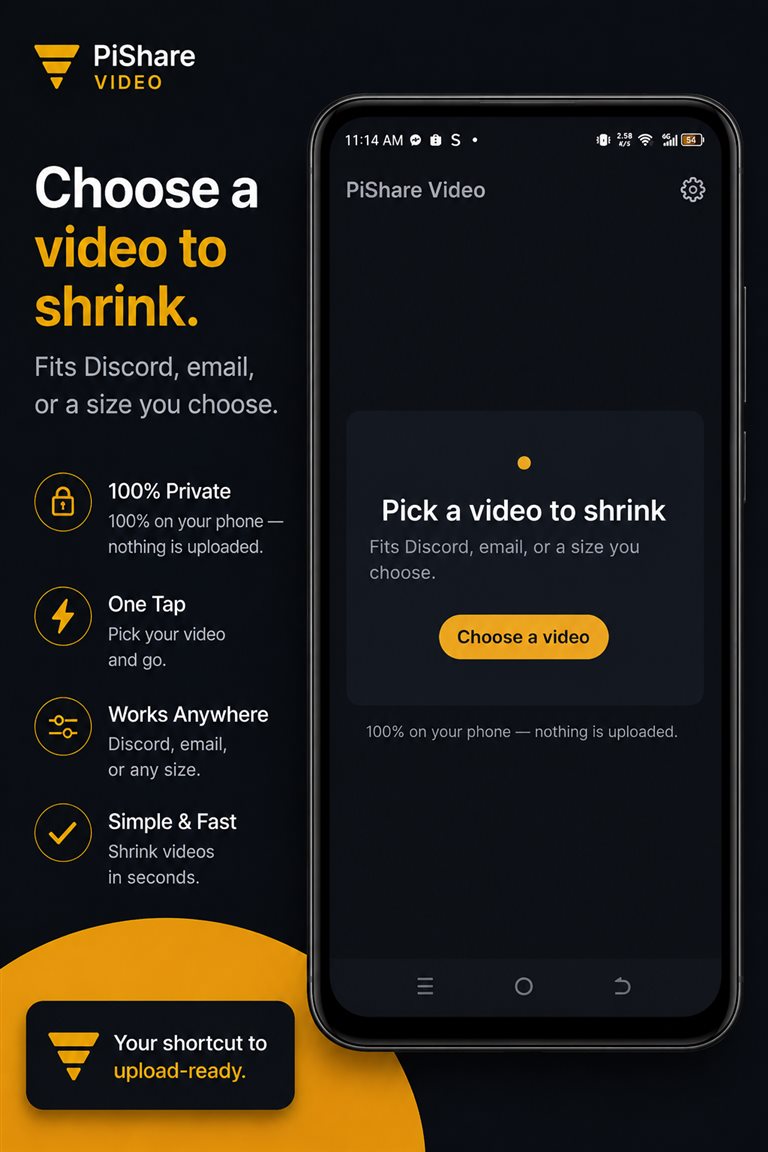
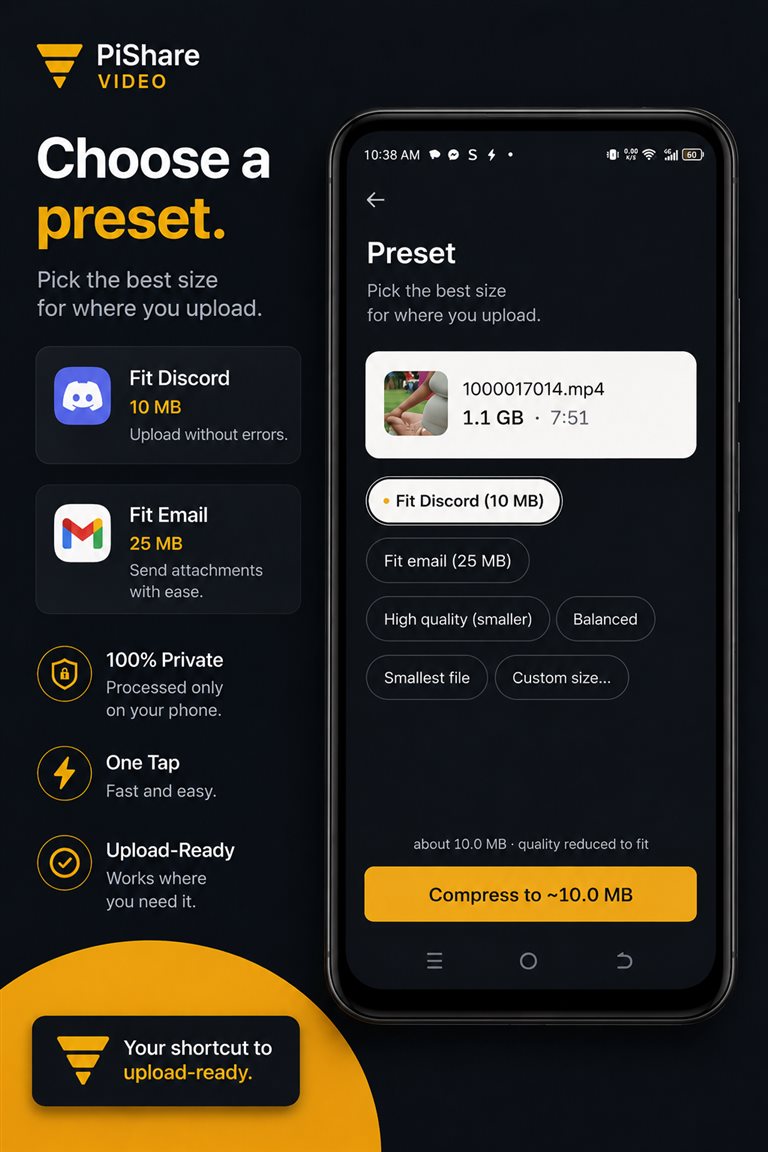
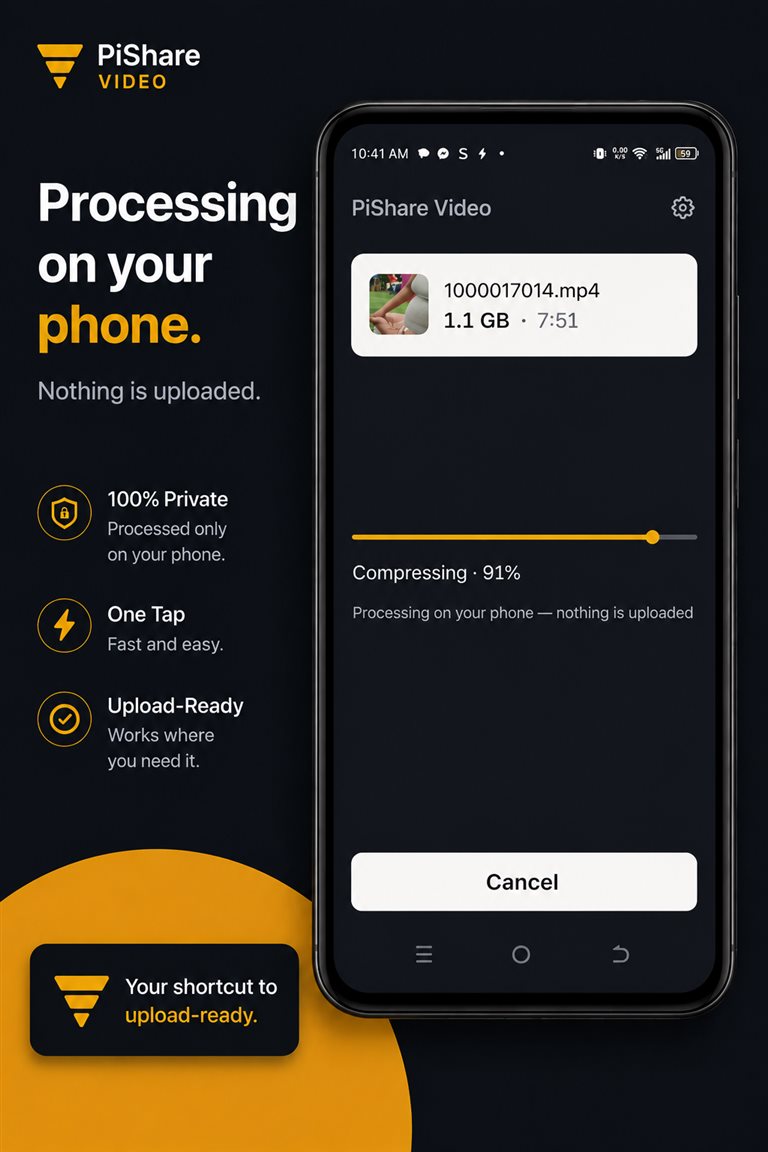
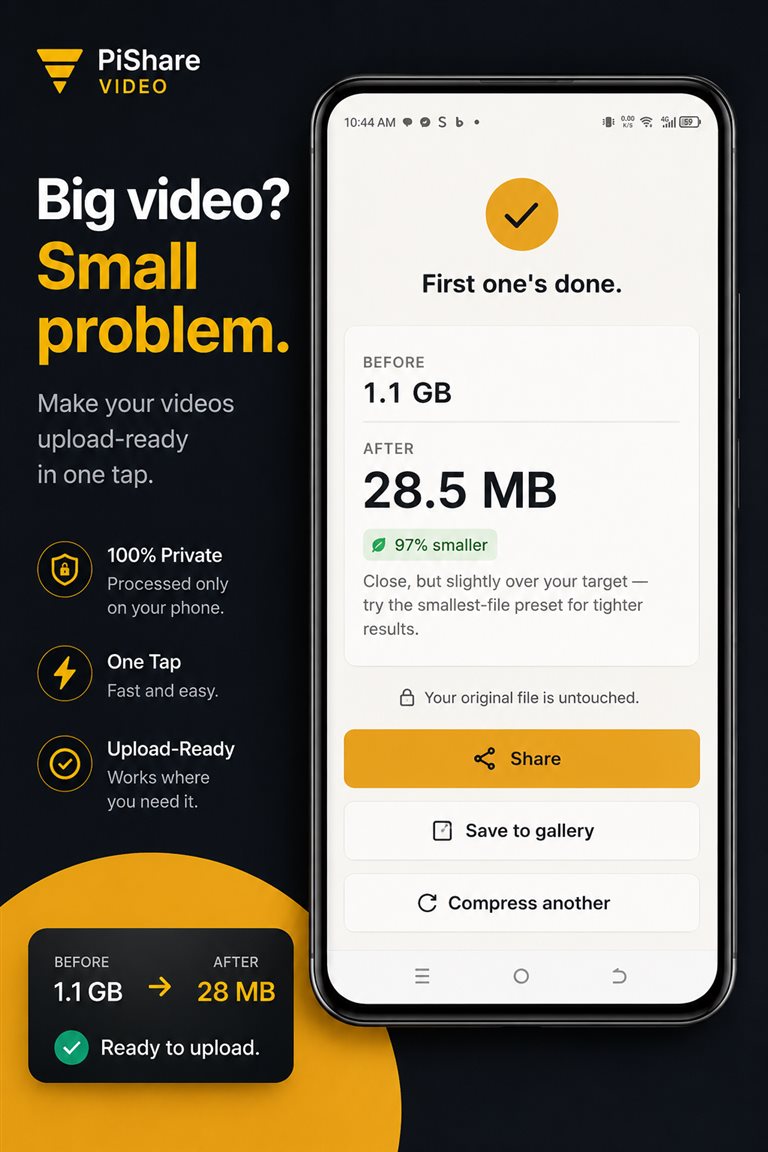
Questions
Asked and answered
Where do my videos go?
Nowhere. Compression runs entirely on your phone — your videos are never uploaded.
Why is my file still larger than the target?
Some videos are too long to reach a small target while staying watchable. PiShare Video tells you honestly before compressing, makes the file as small as it can, and the receipt states the real outcome.
Do I need an account?
No. There are no accounts, no sign-in, and nothing to subscribe to.
What Android version does it need?
Android 8.0 or newer.
Privacy
Private by physics, not by promise
Everything happens on your device.
PiShare Video collects nothing — no analytics, no ads, no accounts. Your files never leave your phone.
Support
A human answers
Questions, bugs, ideas: pishareapp@gmail.com or visit the support center.
Download
Get it
Launching on Google Play — the download link will appear here.
Free · requires Android 8.0+ · no accounts, no ads
Improvements ship through Google Play updates. Release history lives in the changelog.